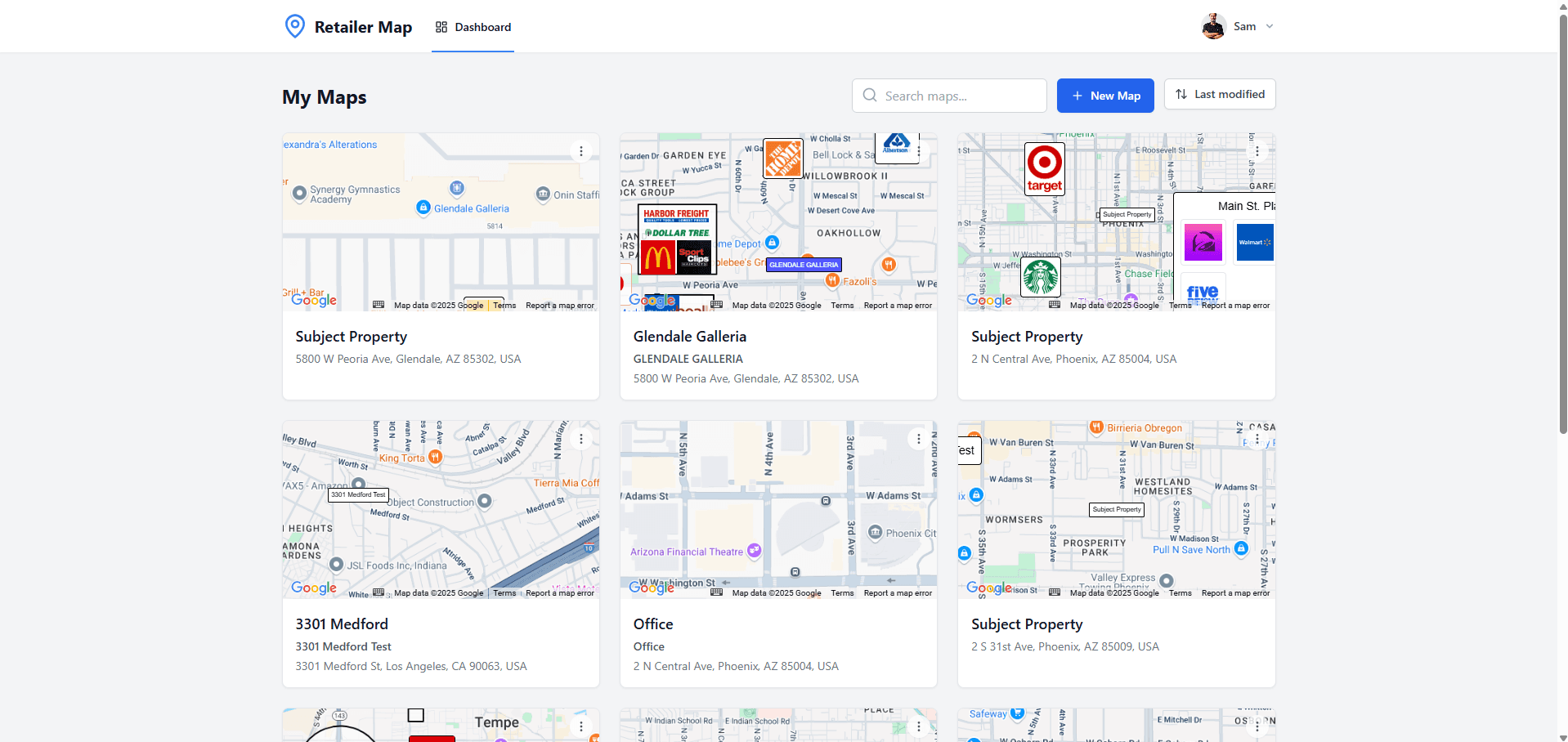
If you're a commercial real estate broker shopping for a mapping solution, CRE Retail Maps and SitesUSA represent different product scopes. CRE Retail Maps focuses on presentation-ready retail maps; SitesUSA positions REGIS Online as a broader GIS and market-analysis platform. Confirm SitesUSA's current modules and terms directly when evaluating the two.
This comparison was reviewed August 3, 2026. It states current CRE Retail Maps facts and gives a checklist for validating REGIS Online directly; competitor modules, terms, and pricing can change.
How They Work: Focused Tool vs. Full GIS Platform
The most important difference between these two platforms is scope.
CRE Retail Maps is a purpose-built retail mapping tool. You open the editor, search for a property address, review nearby-business and brand-artwork results, draw leader lines, adjust styling, and prepare an export in one browser workflow.
REGIS Online should be evaluated from SitesUSA's current product materials and a written quote. Confirm the exact GIS, demographic, traffic, drive-time, trade-area, retailer-data, presentation, export, seat, and license modules your workflow needs.
Compare the products using the same deliverables. Record which analytical inputs are required, which presentation controls are required, and the total review effort; do not assume one is faster without a measured test.
Feature Comparison
Logo Libraries and Brand Placement
CRE Retail Maps includes searchable brand-artwork candidates. Search for a business, review the suggested match, and place the appropriate mark. Nearby-business search looks within the visible map area by category - restaurants, banks, fitness centers, and others - then lets you review and select the results to add.
For REGIS Online, confirm current retailer-location coverage, artwork handling, nearby search, and presentation controls directly with SitesUSA.
Map Styling
CRE Retail Maps offers nine map styles: Default, Subtle, Light, Dark, Retro, Silver, Night, Satellite, and Terrain. You can also customize highway highlighting (color, weight, opacity), toggle label visibility for streets, highways, areas, businesses, transit, and water features, and use preset or custom colors.
For REGIS Online, test the current basemap, overlay, color, label, and OM-page styling controls with a representative property. Do not infer visual quality from the product category.
Organization and Layout
CRE Retail Maps provides drag-to-group containers that let you cluster related artwork with grid layout and custom titles -- for example, grouping "Restaurants" or "National Retailers" into labeled containers. Leader lines connect artwork to user-reviewed map anchors, keeping the map legible even when items are clustered in a legend area.
CRE Retail Maps includes drag-to-group containers, direct artwork positioning, and leader lines because its scope is presentation layout. If those controls matter, verify how the current REGIS Online workflow handles equivalent marketing-page composition rather than assuming analytical mapping controls are the same.
Data and Demographics
This is the main product-scope distinction. SitesUSA positions REGIS Online around GIS, demographics, traffic, and trade-area analysis. Confirm the current data modules and license terms in a written quote if your workflow requires them.
CRE Retail Maps focuses specifically on the visual retail map -- the branded, logo-driven map that shows the surrounding tenant ecosystem. It does that one thing extremely well, but it doesn't include demographic data or traffic analysis.
Export Options
CRE Retail Maps Pro exports 2D PNG and JPG files up to 8000 pixels, 3D images up to 4096 pixels, and five PDF layouts. The Free tier supports building and previewing; downloads require Pro.
For REGIS Online, confirm current image, PDF, report, flyer, branding, resolution, and usage-right options in writing. Compare final files inside the actual OM rather than relying on editor previews.
Pricing
Compare current total cost, including seats, data modules, export rights, onboarding, and internal review effort.
CRE Retail Maps supports up to three maps for building and previewing on the Free tier. Pro runs $39/month or $379/year and unlocks downloads and unlimited maps.
SitesUSA should be priced from a current quote that identifies the included REGIS Online modules, seats, data, and export rights. Do not compare an old quote or an assumed enterprise price with a current single-purpose plan.
Do not infer SitesUSA's value or target customer from an old quote. Compare its current written scope and total price with the published CRE Retail Maps terms for the deliverables your team actually needs.
Learning Curve and Time to First Map
| Factor | CRE Retail Maps | SitesUSA (REGIS) |
|---|---|---|
| Setup | Build and preview on the Free tier | Confirm current access process |
| Learning curve | Focused visual-map editor | Broader platform; test the modules your team would use |
| First retail map | Depends on map scope and curation | Depends on selected modules and output |
| Revisions | Direct visual editing | Confirm current revision workflow |
| Product scope to test | Visual-map composition and export | Current analytical and presentation modules |
When to Evaluate CRE Retail Maps
- You produce retail maps regularly (weekly or monthly)
- You need a focused browser editor for selected nearby businesses and artwork
- You want full control over logo placement, styling, and layout
- You prefer predictable monthly pricing over per-project costs
- You want to edit saved maps directly
- Your primary need is a branded retail tenant map, not demographic analysis
When to Evaluate REGIS Online
- You need to verify whether current demographic, traffic, trade-area, drive-time, radius, or market-analysis modules fit the assignment
- A current quote fits the value of the analytical modules you need
- You need data layers and analytical tools that go beyond visual mapping
- You're evaluating sites for development or expansion, not just marketing existing listings
Can You Use Both?
Yes. The products can be complementary when one workflow needs a visual retail map and another needs broader market analysis.
CRE Retail Maps focuses on visual composition and export. Confirm REGIS Online's current positioning and modules with SitesUSA, then match each product to the deliverable instead of assuming one replaces every part of the other.
Take a look. Build and preview a retail map on the CRE Retail Maps Free tier, then upgrade only if you need to download. Compare that workflow with the current REGIS Online product and quote.
Related guides
- SitesUSA alternative - full comparison - The full head-to-head
- Pricing - Current CRE Retail Maps plans
- Mapping software for CRE brokers - Built for the broker workflow
CRE Retail Maps Editorial Team
VerifiedCRE Software & Industry Analysis
The CRE Retail Maps editorial team produces in-depth analysis of commercial real estate technology, retail market trends, and broker workflows. Our content is reviewed by retail brokers and industry practitioners with decades of combined experience covering grocery-anchored, power center, and lifestyle retail across major US markets.