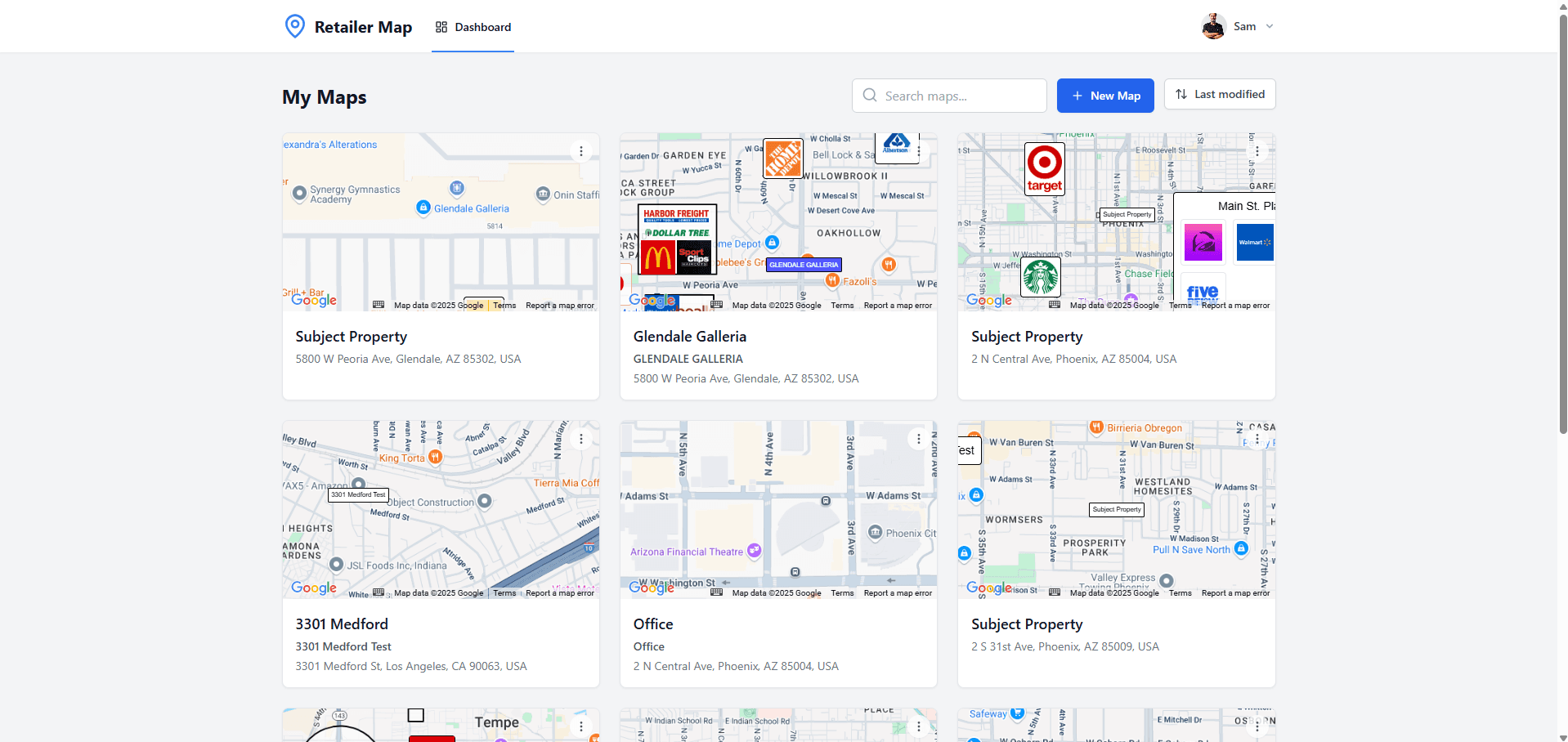
If you're a commercial real estate broker looking for a retail mapping tool, you've probably come across both CRE Retail Maps and Reblie. Both tools help brokers create property maps with brand logos and tenant information, but they take very different approaches to the problem. This comparison breaks down where each tool excels and where it falls short, so you can pick the one that fits your workflow.
The Core Difference
CRE Retail Maps is organized around one focused workflow: search for a property, add reviewed brand artwork and nearby businesses, style the map, and export. Reblie is also a self-serve mapping product with its own editor and plan structure. Because competitor features and tiers change, evaluate Reblie's current product documentation alongside the workflow requirements below rather than relying on an old feature or price snapshot.
Feature-by-Feature Comparison
| Feature | CRE Retail Maps | Reblie |
|---|---|---|
| Brand Artwork | searchable candidates; user reviews the match | Confirm current library and matching workflow |
| Nearby Businesses | Search by category, review results, select what to add | Confirm current search and placement workflow |
| POI Database (save & reuse locations) | Yes, on Pro | Confirm current plan availability |
| Map Styles | 9: Default, Subtle, Light, Dark, Retro, Silver, Night, Satellite, Terrain | Confirm current styling options |
| Custom Brand Colors | Presets plus custom color controls | Confirm current color controls |
| Leader Lines | Adjustable connector lines | Confirm current line controls |
| Drag-to-Group Containers | Yes, with grid layout and titles | Confirm current grouping tools |
| Highway Highlighting | Color, weight, and opacity controls | Confirm current road-styling tools |
| Label Controls | Street, highway, area, business, transit, and water controls | Confirm current label controls |
| PDF Export | Five layouts | Confirm current PDF options |
| Image Export | 2D PNG/JPG up to 8000px; 3D up to 4096px | Confirm current formats and limits |
| Pricing | Free build/preview; Pro $39/mo or $379/yr for downloads | Check Reblie's current published plans |
Brand Logo Library
CRE Retail Maps includes searchable brand-artwork candidates. Search for a business, inspect the returned mark, and confirm that it is the right match before placing it. When comparing products, test several national, regional, and local businesses you use regularly; a headline library count matters less than whether the workflow returns accurate, usable artwork for your market.
Search Nearby Businesses
CRE Retail Maps searches the visible map area by business category (restaurants, banks, grocery, fitness, coffee, pharmacy, and others). You review the returned businesses and select which ones to add; the software does not decide which results belong in the final story. When evaluating Reblie, verify how its current search, selection, and artwork-matching workflow handles the same test property.
Ease of Use
CRE Retail Maps uses a visual editor for placing artwork, drawing leader lines, grouping tenants, styling colors, and preparing exports. The practical comparison is task based: give each product the same property and output brief, then note which controls are clear, which manual steps remain, and whether another team member can revise the map without retraining.
Pricing
CRE Retail Maps lets users build and preview up to three maps on the Free tier. Downloads and unlimited maps require Pro, currently $39/month or $379/year. Reblie's prices, inclusions, and team terms can change, so use its current pricing page or a written quote when comparing total cost.
Export Quality
CRE Retail Maps Pro supports 2D PNG and JPG downloads up to 8000 pixels, 3D image downloads up to 4096 pixels, and five PDF layouts with profile and property fields. Confirm Reblie's current formats, dimensions, and template controls against the exact deliverables your team produces.
Who Should Use Which?
Choose CRE Retail Maps if:
- You need to produce retail maps quickly and consistently
- You want searchable brand artwork with a review step
- You want category-based nearby-business search with manual selection
- You prefer transparent, flat-rate pricing
- You want nine map styles and presentation-focused layout controls
Consider Reblie if:
- Its current editor fits your team's established workflow
- Its current plan includes specific collaboration, data, or export capabilities you require
- A side-by-side test with your own properties produces the better result for your team
The Verdict
For OMs, flyers, and presentations, the right choice is the product that handles your real tenant set, revision process, and export requirements with the fewest compromises. CRE Retail Maps is deliberately focused on visual retail maps; Reblie should be judged from its current product and plan details. Build the same test property in both before choosing.
Try it yourself. Build and preview a map on the CRE Retail Maps Free tier, then compare the result and workflow side by side with Reblie. Upgrade to Pro only if you need to download.
Related guides
- Reblie alternative - side-by-side - Feature + price comparison
- Pricing - Current Free and Pro terms
- All features - Current CRE Retail Maps workflow
CRE Retail Maps Editorial Team
VerifiedCRE Software & Industry Analysis
The CRE Retail Maps editorial team produces in-depth analysis of commercial real estate technology, retail market trends, and broker workflows. Our content is reviewed by retail brokers and industry practitioners with decades of combined experience covering grocery-anchored, power center, and lifestyle retail across major US markets.